What Is Copilot Readiness?
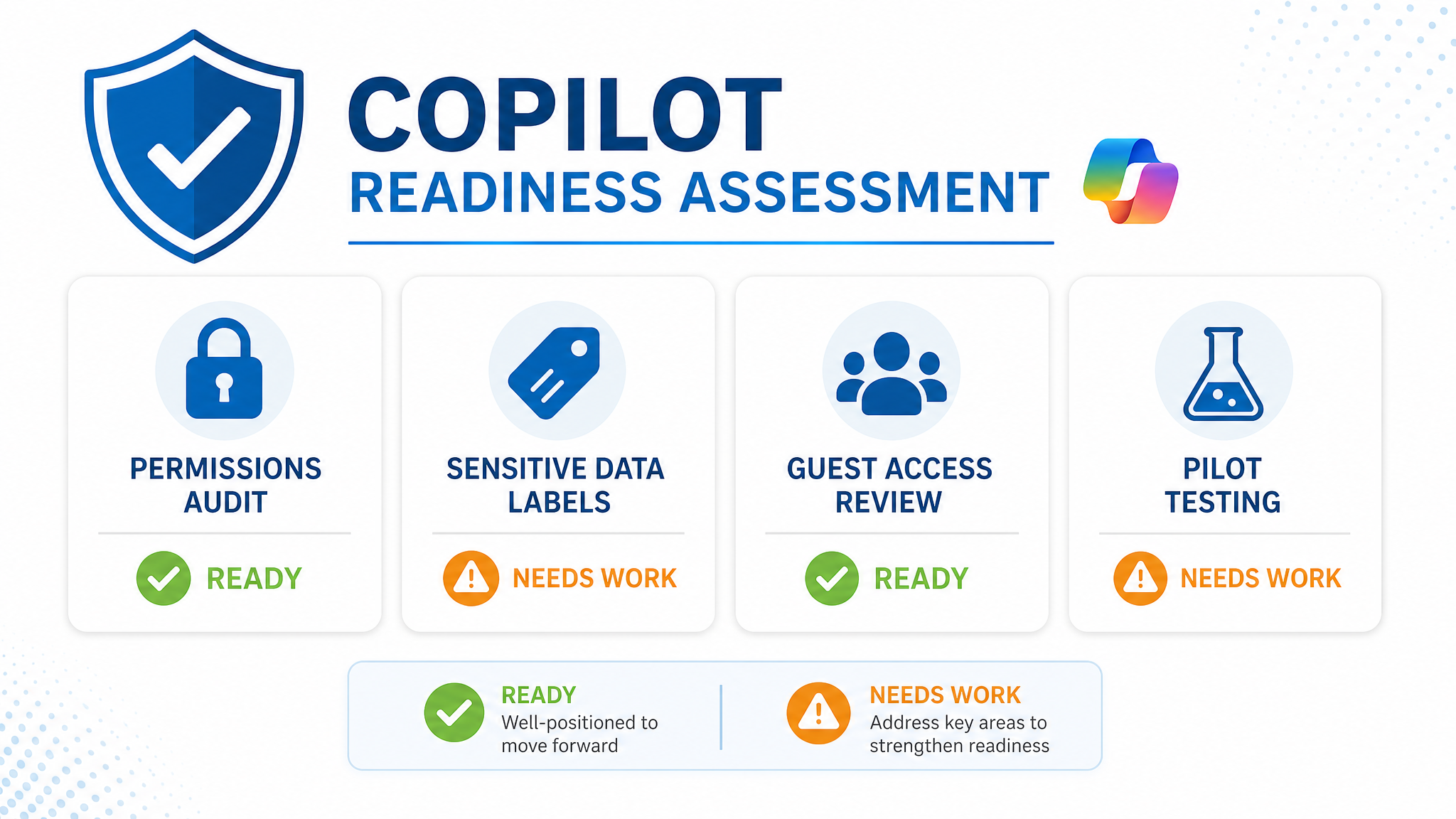
Copilot readiness is the state of your Microsoft 365 tenant being safe, governed, and structured enough to deploy Microsoft Copilot without creating data exposure, compliance breaches, or user confusion.
Copilot for Microsoft 365 uses a retrieval-augmented generation model. When a user asks a question, Copilot searches across email, SharePoint, OneDrive, Teams chat, and calendar to find relevant content. It then synthesises an answer based on what the user has permission to see.
The key point: Copilot respects existing permissions, but it makes them visible in ways users have never experienced before.
A document buried in a SharePoint site that a user forgot they had access to can suddenly appear in a Copilot response. A confidential email thread shared with a broad distribution list becomes discoverable through natural language queries.
Copilot readiness means:
- Permissions are intentional: Users only have access to content they genuinely need
- Sensitive data is labelled: Microsoft Purview sensitivity labels classify and protect confidential information
- Guest access is controlled: External users cannot access more than they should
- Information architecture is clean: Content is organised, tagged, and findable for the right reasons
- Governance policies are active: Site lifecycle, retention, and external sharing rules are enforced
Why Copilot Readiness Matters
Gartner research from 2025 found that 73% of organisations piloting Copilot discovered over-permissioned content during readiness assessment. The risks of deploying without preparation include:
| Risk | Real-World Impact |
|---|---|
| Data leakage | Copilot surfaces confidential financial, HR, or legal data to unauthorised users |
| Regulatory breach | Privacy Act, APRA, or ACSC requirements violated through unintended access |
| Reputational damage | Sensitive information appears in meeting summaries or shared documents |
| User distrust | Staff lose confidence in AI tools after seeing inappropriate content surfaced |
| Compliance audit failure | Auditors find gaps in data governance that Copilot has made visible |
The reality is that Copilot does not create these problems. it reveals them. Organisations with strong governance find Copilot safe and valuable. Those with years of accumulated permission sprawl face a cleanup task that cannot be skipped.
How Copilot Helps When Deployed Correctly
With a ready tenant, Copilot delivers measurable productivity gains:
For Executives
- Draft emails and reports from meeting notes and previous correspondence
- Summarise long email threads and document sets in seconds
- Prepare for meetings with automated briefs drawn from calendar, email, and files
For Knowledge Workers
- Generate first drafts of proposals, presentations, and project plans
- Find information across SharePoint, Teams, and OneDrive using natural language
- Automate repetitive tasks like meeting scheduling and follow-up emails
For IT and Compliance Teams
- Monitor Copilot usage and data access patterns through Purview audit logs
- Apply sensitivity labels that automatically protect content Copilot generates
- Enforce retention policies that keep Copilot-generated content compliant
Microsoft reports users save 1 to 2 hours per week on information retrieval and drafting tasks once Copilot is deployed in a governed environment.
How to Assess Your Own Copilot Readiness
You can assess readiness using tools already in your Microsoft 365 subscription.
Step 1: Audit Permissions (1 to 2 days)
- Open the SharePoint Admin Centre → Reports → Sharing
- Review sites with external sharing enabled. confirm each is intentional
- Check Site permissions for each site collection. look for broad access groups like “Everyone” or “All Company”
- Run the Access reviews feature in Azure AD to validate group memberships
Step 2: Identify Sensitive Content (1 to 2 days)
- Open the Microsoft Purview compliance portal
- Go to Information protection → Sensitive info types
- Run a Content explorer scan for Australian-specific types: TFN, Medicare number, credit card, ABN
- Document which sites and libraries contain the most sensitive content
Step 3: Review Guest Access (1 day)
- In Azure AD → External identities → All users, filter by “Guest”
- Check which guests have access to SharePoint sites, Teams, and shared files
- Remove guests who no longer need access
- Review guest sharing links in the SharePoint Admin Centre
Step 4: Test with a Controlled Pilot (2 to 4 weeks)
- Enable Copilot for a small group of trusted users (5 to 10 people)
- Ask them to deliberately query sensitive topics: “Show me salary information”, “What did the board discuss?”
- Document what Copilot surfaces. this reveals permission gaps
- Fix permissions before expanding the pilot
Step 5: Apply Sensitivity Labels (ongoing)
- Create labels in Purview for “Public”, “Internal”, “Confidential”, and “Highly Confidential”
- Apply auto-labelling policies that detect sensitive content types
- Configure encryption and access restrictions for the highest labels
- Train users to apply labels manually when auto-labelling misses content
When to Bring in a Specialist
You can self-assess for small tenants with simple structures. Most mid-market and enterprise organisations need expert help because:
- Permission sprawl is invisible: Years of ad-hoc sharing creates access patterns that are hard to map manually
- Custom sensitivity rules are complex: Auto-labelling policies require tuning to avoid false positives and negatives
- Pilot design matters: A bad pilot surfaces the wrong risks or misses critical ones
- Remediation is time-consuming: Fixing permissions across thousands of sites and libraries takes dedicated resources
- Compliance context varies: Government, healthcare, and financial services have different regulatory requirements
Evocate’s Copilot Readiness Assessment is a fixed-price, two-week engagement:
- Tenant audit: We scan permissions, sharing links, guest access, and sensitive content distribution
- Risk report: A prioritised list of data exposure risks with remediation steps
- Governance roadmap: Recommended sensitivity labels, retention policies, and site lifecycle rules
- Pilot plan: A controlled Copilot pilot design that tests real-world scenarios safely
- Remediation support: Optional follow-on engagement to fix the gaps we identify
We have assessed tenants for government agencies, healthcare providers, and financial services organisations. Every assessment has found material risks that would have been exposed by Copilot.
How Evocate Has Done This Before
Evocate has assessed and remediated tenants across government, healthcare, financial services, and not-for-profit organisations:
- Australian Engineering Consultancy: Deployed Microsoft Copilot Studio, Syntex, and Purview for a major engineering firm. Full governance framework before Copilot rollout.
- CBM: Modernised Microsoft 365 for the international NGO with SharePoint, Microsoft Purview data governance, and Copilot preparation across a multi-country tenant.
- Elbit Systems of Australia: Built a secure document management system with strict access controls for a defence contractor. The kind of permission structure that makes Copilot safe to deploy.
- Allianz: Digital transformation services agreement including security hardening and governance for a regulated financial services environment.
- Mazars: Delivered theHub intranet alongside a Microsoft Purview data governance framework for the global accounting firm’s Australian operations.
- ATSILS: SharePoint and Teams digital transformation with document governance for the Aboriginal and Torres Strait Islander Legal Service.
Call 1300 386 228 or request a Copilot readiness assessment to discuss your tenant.
Related Reading
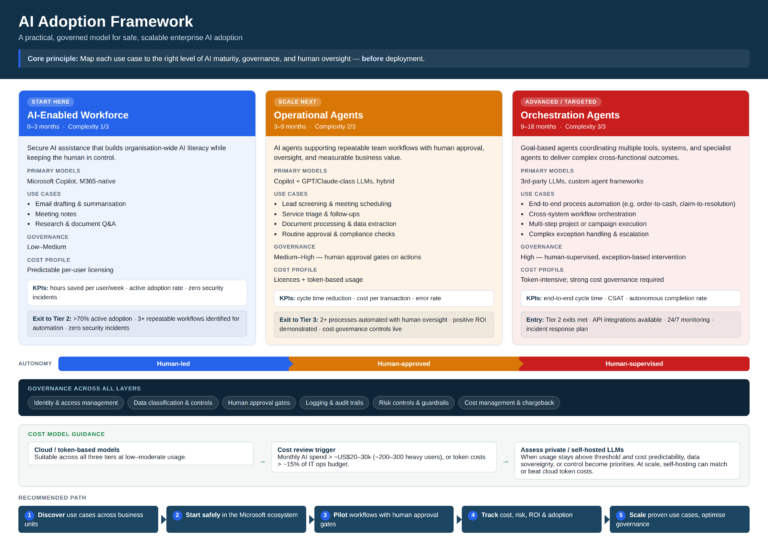
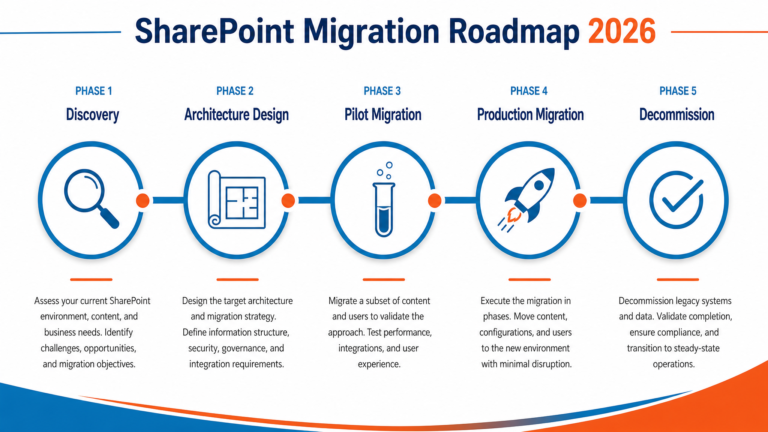
- SharePoint Migration from On-Premises: A Complete Guide for 2026: If your SharePoint is still on-premises, migrate first. Copilot only works with SharePoint Online.
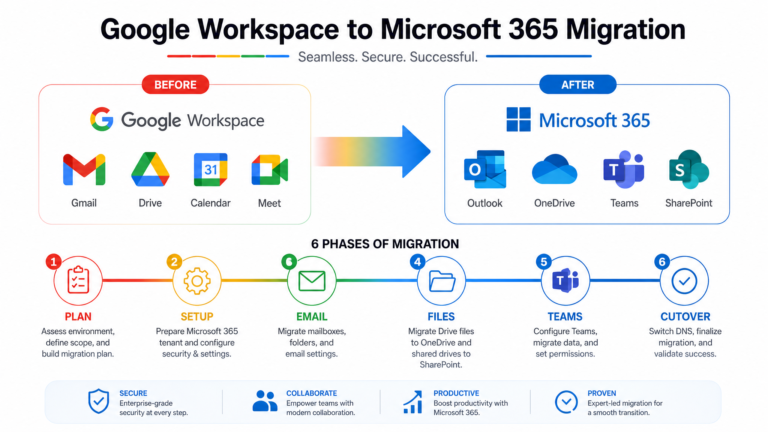
- Google Workspace to Microsoft 365 Migration: A Step-by-Step Guide: Organisations moving from Google to Microsoft 365 need Copilot readiness built into the migration plan from day one.
Yes, but the experience is better on modern sites. Classic SharePoint sites can be converted or rebuilt as part of readiness preparation. Copilot’s semantic search works best with well-structured, labelled content.
Copilot for Microsoft 365 is $44.90 AUD per user per month (annual commitment) at the time of writing. It requires a Microsoft 365 E3, E5, Business Standard, or Business Premium licence as a base. Not every user needs Copilot. We help organisations identify the right pilot group.
This is exactly why readiness assessment matters. Sensitivity labels can encrypt HR and financial content so Copilot cannot read it, even if a user has permission. We design label policies that protect sensitive data without blocking legitimate work.
Yes, and this is a common approach. A small executive pilot tests high-value use cases (meeting preparation, email drafting) with controlled risk. The pilot generates feedback and refines governance before broader rollout.
Copilot processes data within your Microsoft 365 tenant boundary. It does not train Microsoft’s AI models on your content. Data is handled according to your existing Microsoft 365 data processing agreements and regional residency settings.