
Turn compliance from a cost centre into a repeatable business process by using Microsoft Purview to automatically discover, protect and govern your data.
For Australian organisations, meeting obligations under the Privacy Act and customer contracts starts with visibility and control. Purview brings enterprise-grade compliance into Microsoft 365 tools you already use.
What is Microsoft Purview?
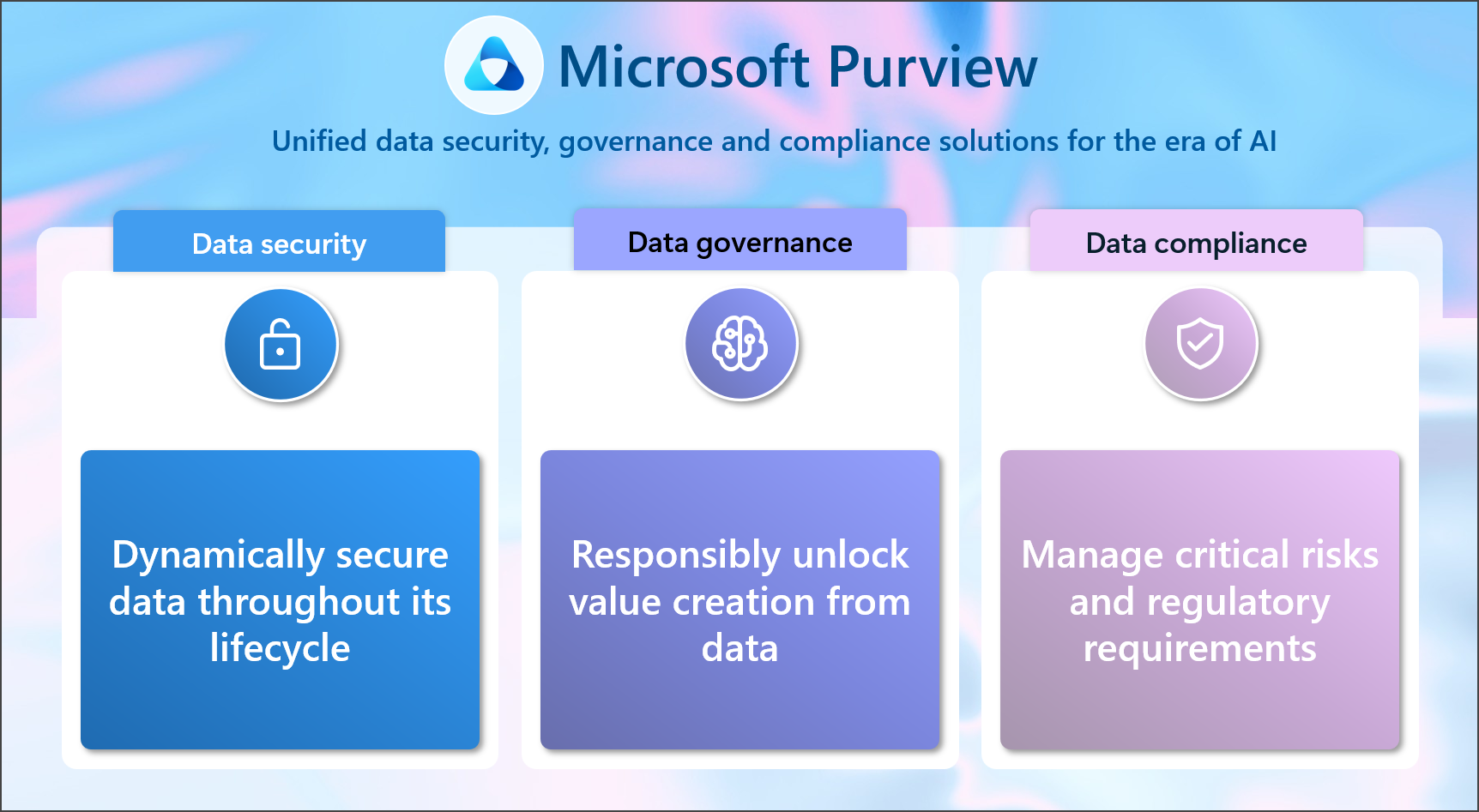
Microsoft Purview is a unified suite for data governance, risk and compliance across Microsoft 365, Azure, endpoints and third‑party apps. It helps you classify sensitive information, apply protection (like encryption and access controls), manage retention and records, prevent data loss, investigate insider risks, and meet legal discovery requirements. In short: Purview finds what matters, protects it, and proves it.
Key terms you’ll see in this article:
- DLP (Data Loss Prevention): rules that stop sensitive data from leaving your organisation by email, chat, or device copy/paste.
- eDiscovery: tools to find, hold and export content for legal or regulatory matters.
- Sensitivity labels: tags that classify data and can enforce encryption and access restrictions.
- Compliance Manager: a dashboard with controls, templates and a score to track your compliance posture.
Why organisations should adopt Purview early
- Meet Australian requirements: Align with the Privacy Act, Essential Eight and ISO/IEC 27001 through built-in controls and templates.
- Reduce breach risk: Automatic classification and DLP policies help prevent accidental or malicious data exposure.
- Simplify tools: Use what’s already in Microsoft 365 instead of stitching together multiple point solutions.
- Prove compliance: Built-in audit, reports and assessments make it easier to demonstrate due diligence to customers and auditors.
- Scale as you grow: Start with quick wins, add advanced capabilities like Insider Risk and eDiscovery Premium when needed.
Practical ways to use Purview today
1) Classify and label your data
Start by creating sensitivity labels such as Public, Internal, Confidential and Restricted. Enable automatic labelling using built-in sensitive info types (for example, tax file numbers) and trainable classifiers for content like resumes or contracts. Labels can apply protection like encryption and watermarking, following the file wherever it goes.
Tip: Pilot labels with a single department (e.g., Finance) and measure how many files are auto-labelled before rolling out broadly.
2) Prevent data leaks with DLP
Use Purview DLP policies to stop sensitive information leaving via Exchange Online, SharePoint, OneDrive, Microsoft Teams and Windows endpoints. Start in audit mode to see what would have been blocked, then switch to block with override to reduce friction while educating users.
Example: Block sending spreadsheets with customer TFNs externally unless a manager approves the override, and always justify the action.
3) Govern retention and records
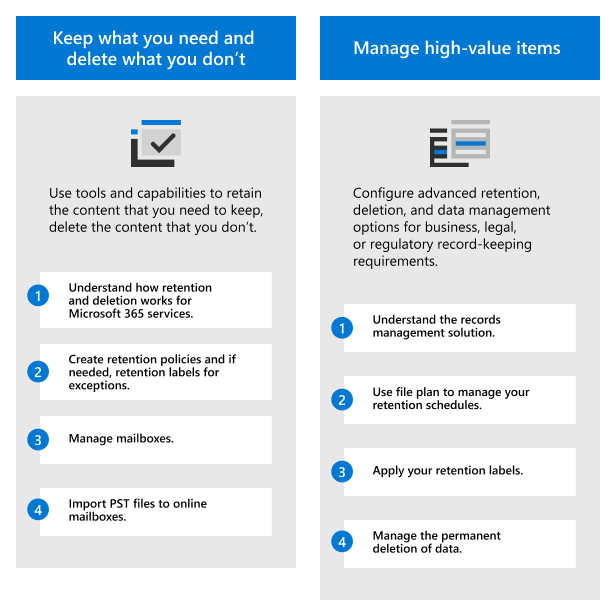
Define retention labels and policies so information is kept for the right period, then disposed of defensibly. Use disposition reviews for records that require sign-off. This reduces storage cost, supports privacy rights, and avoids keeping data longer than necessary.
4) Manage insider risks responsibly
Insider Risk Management detects risky behaviour such as mass downloads, unusual sharing, or data exfiltration to personal accounts. Configure clear policies, limit access to investigators, and notify employees about monitoring to maintain trust and meet HR/legal expectations.
5) Respond faster with eDiscovery
Use eDiscovery (Standard) to create cases, place holds and export data. For complex matters, eDiscovery (Premium) adds collections across sources, custodian workflows, de-duplication and legal review sets. Having this ready before you need it dramatically reduces stress and cost when a request arrives.
6) Monitor compliance posture
Compliance Manager maps controls to regulations and gives you a score with recommended actions. Use the Australian templates to prioritise high-impact fixes, assign tasks to owners, and track completion. This becomes your running log of due diligence.
Learn more from Microsoft’s overview of the suite: Microsoft Purview documentation.
Getting started in four steps
- Confirm obligations: List the specific laws, standards and customer commitments you must meet (e.g., Privacy Act, ISO/IEC 27001, contracts).
- Map your data: Identify where sensitive data lives across email, Teams, SharePoint, OneDrive and devices.
- Choose quick wins: Roll out core labels, enable audit-mode DLP, and switch on basic retention. Socialise the changes with a simple playbook.
- Plan for scale: Decide which advanced features you’ll adopt next (Insider Risk, eDiscovery Premium) and verify licensing. Many organisations can start with Microsoft 365 Business Premium; advanced features may require E5 add-ons.
How Evocate can help
Evocate helps Australian organisations stand up Microsoft Purview quickly and safely, with change management baked in. Our consultants design pragmatic controls that fit your risk profile and user experience.
- Microsoft Purview services: discovery workshops, label/DLP design, pilots, production rollout, and governance.
- Microsoft 365 services: identity hardening, device baselines and collaboration best practice to complement compliance controls.
- Managed Services: ongoing policy tuning, incident support and quarterly compliance reviews.
Ready to reduce risk and prove compliance? Get in touch via our contact form or email sales@evocate.com.au. We’ll help you prioritise quick wins and build a practical roadmap.
FAQs
Do we need E5 to use Purview?
No. Many capabilities are included in Microsoft 365 Business Premium and E3. Advanced features like eDiscovery (Premium) and Insider Risk require E5 or add-ons. We can help you right-size licensing.
Will DLP block legitimate work?
Not if it’s designed well. Start in audit mode, use targeted policies and allow justifiable overrides. Track incidents and tune rules to minimise false positives.
How do we handle legacy data in file shares?
Use content scans and auto-labelling to identify sensitive data, migrate high-value content to SharePoint/OneDrive, and apply retention to the rest. Tackle it in phases to reduce disruption.
What evidence can Purview provide to auditors?
Audit logs, policy definitions, label usage reports, DLP incident metrics, eDiscovery exports and Compliance Manager tasks form a clear trail of implemented controls and outcomes.
Is Purview only for Microsoft data?
While Purview is strongest in Microsoft 365 and Windows, connectors and APIs can extend protection to some third-party platforms. We can advise what is practical for your stack.
Next steps
Compliance does not have to slow you down. With the right Purview foundations, you can protect customers, accelerate deals and simplify audits. Speak with Evocate via our contact form or email sales@evocate.com.au to get started.