

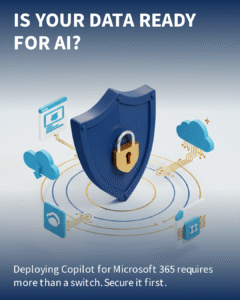
Lay the right foundations and Copilot will deliver value faster, safer, and with less rework.
Before switching on Copilot for Microsoft 365, ensure your data is governed, labelled, and secured with Microsoft Purview. Otherwise, AI may surface the wrong content to the wrong people and amplify risk instead of productivity.
Why organisations should line up Purview before Copilot
Copilot learns from and reasons over your organisation’s data in Microsoft 365—emails, chats, files, and more. That is powerful, but it only works well if the data is well governed. Microsoft Purview (Microsoft 365’s compliance and data governance suite) provides the guardrails Copilot needs to operate safely and compliantly.
- AI amplifies access: If a user can access it, Copilot can likely reference it. Purview helps ensure access aligns with business intent.
- Shadow data risk: Unlabelled or overshared files in SharePoint or Teams can be exposed by AI prompts. Sensitivity labels and DLP (data loss prevention) reduce this risk.
- Regulatory and client obligations: Purview policies support Australian privacy expectations and industry requirements by classifying and protecting sensitive information.
- Data quality and findability: Well-structured, labelled content improves Copilot’s outputs and trustworthiness.
- Auditability: Purview gives auditable controls over what is retained, who accessed what, and when.

What “readiness” means in practice
1) Data inventory and mapping
Identify where your critical data lives across SharePoint, OneDrive, Teams, Exchange, and third-party repositories. Map high-value and high-risk content (finance, HR, legal, client data) and decide what Copilot should and should not be able to surface.
2) Access hygiene and boundaries
Fix oversharing before AI shines a light on it. Apply least-privilege access; prefer Microsoft 365 Groups over ad-hoc sharing links; review external sharing in SharePoint and Teams; and standardise site/team creation with templates and naming.
3) Sensitivity labels and protection
Implement a simple, business-friendly sensitivity label set (e.g., Public, Internal, Confidential, Highly Confidential) with clear protection rules—encryption, watermarking, and restrictions on external sharing or downloading. Use Purview auto-labelling on high-risk locations to catch what users miss.
4) Data loss prevention (DLP)
Enable DLP policies for sensitive information types (tax file numbers, credit cards, health data) across Exchange, SharePoint, OneDrive and Teams chat. Start in audit mode, then enforce once alerts are tuned.
5) Retention and lifecycle
Define what to keep, for how long, and what to defensibly dispose of. Retention labels reduce clutter, lower storage costs, and make Copilot surface fresher, more relevant content.
6) Audit, eDiscovery and insider risk
Confirm auditing is enabled and that your eDiscovery processes are ready for AI-era content volumes. Consider insider risk management for sensitive projects and executive communications.
7) Adoption readiness
Prepare people as much as platforms. Define Copilot use cases, build prompt libraries, and set behavioural guardrails. Nominate change champions and provide quick-reference guides.

Technical and licensing checkpoints
- Tenant and identity: Ensure Entra ID (formerly Azure AD) Conditional Access, MFA, and device compliance are in place. This underpins both Purview controls and safe Copilot access.
- Data locations: Focus first on SharePoint, OneDrive, Teams, and Exchange where Copilot engages most. Tidy information architecture to reduce duplication and stale sites. If needed, review your SharePoint structure with our SharePoint experts in Sydney.
- Licensing: Core Purview features (sensitivity labels, basic DLP, retention) exist in Business Premium and E3; advanced capabilities (auto-labelling at scale, Advanced eDiscovery, insider risk) require E5 or add-ons. Copilot for Microsoft 365 is an add-on to eligible Business and Enterprise plans.
- Change control and support: Plan a ringed rollout, telemetry, and feedback loops. Ongoing care can sit with your team or our Managed Services team in Sydney.

A pragmatic 30–60 day roadmap
- Weeks 1–2: Assess and design – Rapid data risk scan, access review, label and DLP design, Copilot use-case shortlist, and adoption plan.
- Weeks 3–4: Foundations live – Implement labels, pilot auto-labelling in targeted sites, enable audit, deploy DLP in audit mode, fix high-risk sharing, and align SharePoint/Teams provisioning.
- Weeks 5–6: Copilot enablement – Enforce tuned DLP, publish retention labels, finalise access clean-up, enable Copilot for pilot groups, provide prompt training and usage guardrails, and establish success metrics.
- Post go-live – Iterate based on telemetry, expand labels, automate provisioning, and extend Copilot to more users.
How Evocate can help
Evocate helps Australian organisations make Copilot safe and successful by aligning technology, data, and people—quickly.
- Microsoft Purview readiness – Data risk assessment, label and DLP design, retention, and rollout.
- Copilot enablement – Use-case discovery, security guardrails, pilot design, and adoption support.
- SharePoint and information architecture – Structure content so Copilot finds the right version, every time.
- Teams governance – Standardised provisioning, lifecycle, and external access controls.
- Managed services – Ongoing monitoring, policy tuning, and user support.
If you want Copilot to accelerate work, not risk it, start with Purview. Evocate can help you prioritise quick wins and a secure rollout in Sydney. Reach out via our contact form or email sales@evocate.com.au.
If you are looking to scale your internal team, consider Populo for IT staff augmentation and remote IT staffing: Populo.
Address: Evocate, Level 13/50 Carrington St, Sydney NSW 2000
FAQ
Not necessarily. Business Premium and E3 cover core labelling, basic DLP, and retention. Advanced capabilities like large-scale auto-labelling, Advanced eDiscovery, and insider risk generally require E5 or add-on licences.
Most organisations can reach a confident starting position in 30–60 days with a focused project: assess, design labels and DLP, pilot auto-labelling, fix high-risk sharing, then enable Copilot for a pilot group.
Overshared or unlabelled content can be surfaced to unintended users, increasing privacy, IP leakage, and compliance risks. You may also get poorer AI outputs due to stale, duplicated, or low-quality data.
Track adoption and outcomes: time saved on drafting and analysis, fewer manual searches, reduced rework, improved data hygiene metrics, and lower incident volumes. Set baselines during the readiness phase.