
Turn your business data into decisions in minutes—Power BI gives organizations a clear, affordable path to trusted insights across finance, sales, and operations.
If you already use Microsoft 365, Power BI slots straight in to visualise data, automate reporting, and surface KPIs (key performance indicators) where people work—Teams, SharePoint, and mobile.
What is Power BI?
Power BI is Microsoft’s business intelligence (BI) platform for connecting to your data, modelling it, and presenting it through interactive reports and dashboards. It has three core parts: Power BI Desktop (building reports), the Power BI service (sharing and collaboration), and the Power BI mobile app (on-the-go insights). You’ll also hear about DAX (Data Analysis Expressions), the formula language used to create measures and calculations.
Why Organizations should adopt Power BI now
- Faster decisions: Replace manual spreadsheets with always-current dashboards and alerts.
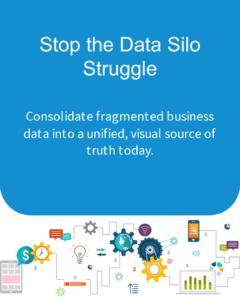
- Single source of truth: Centralise and govern definitions for revenue, margin, and pipeline so teams align on the same numbers.
- Cost-effective analytics: Start small with per-user licensing and scale as your needs grow.
- Secure by design: Built on Microsoft 365 security with Microsoft Entra ID (formerly Azure AD) sign-in, sensitivity labels, and row-level security (RLS).
- Works where you work: Share insights in Microsoft Teams and publish to SharePoint so people don’t need to hunt for reports.

What you can do with Power BI
Connect and prepare data
Power BI has hundreds of connectors across Excel, CSV, SharePoint lists, SQL Server, Xero, and many SaaS apps. Power Query lets you perform ETL—extract, transform, load—so you can clean data, merge tables, and standardise fields without writing code. Schedule refreshes to keep reports up to date automatically.
Visualise and share insights
Build stunning visuals, from trend lines to maps, and publish them as reports. Pin key tiles to dashboards for a high-level view. Share securely with colleagues, embed in Teams channels, or publish to SharePoint pages for wider visibility. Use Q&A to ask natural-language questions like “sales by region this quarter” and get instant visuals.
Automate and govern
Set alerts on KPIs, distribute weekly summaries, and track adoption. Apply sensitivity labels, audit activity, and enforce RLS so people only see data they’re allowed to. For broader data governance, align Power BI with Microsoft Purview to classify data and manage lineage across your estate.

Cost and licensing in brief
Power BI offers flexible licensing. Power BI Pro enables publishing, sharing, and collaboration; each creator and viewer typically needs a Pro licence. Premium per user (PPU) adds larger dataset sizes, advanced AI features, and deployment pipelines. Premium capacity suits organisations needing dedicated capacity for high scale or wide distribution. The right choice depends on data size, sharing scenarios, and performance needs.
A practical roadmap to get started
- Pick a business use case: Start with one outcome—e.g., a finance margin dashboard or a sales pipeline report—and define what success looks like.
- Get your data in shape: Consolidate sources, fix duplications, and codify business rules. Document key definitions so everyone agrees on the metrics.
- Build a certified dataset: Create a reusable, well-modelled dataset that powers multiple reports. This reduces duplication and improves trust.
- Secure and govern: Implement workspaces, RLS roles, and naming conventions. Align with Purview for data classification and lineage where required.
- Enable the business: Train power users, publish to Teams, and set up refresh schedules and alerts. Define support and enhancement processes.
Common pitfalls to avoid
- Spreadsheet sprawl 2.0: If every team builds its own dataset, numbers won’t match. Establish certified datasets early.
- Overcomplicated models: Keep your first model simple; performance issues usually trace back to poor modelling.
- Security afterthoughts: Design RLS and sensitivity labels from day one to protect sensitive information.
- No adoption plan: Schedule refreshes, embed in Teams, and run short training sessions to turn reports into daily habits.
How Evocate can help
Evocate specialises in practical, business-first analytics for Australian organizations. We help you prioritise use cases, design trusted data models, and deploy secure, high-performing workspaces.
- Power BI services: discovery, data modelling, dashboard design, governance, and performance tuning.
- Microsoft 365 integration: publish to Teams and SharePoint, automate refresh, and manage identities with Entra ID.
- Purview governance: classification, lineage, and policy alignment for regulated data.
- Managed services: monitoring, support, and optimisation to keep your analytics humming.
Ready to see your data clearly? Contact our team or email sales@evocate.com.au to get started.
FAQs
What’s the difference between a dashboard and a report in Power BI?
A report is a multi-page, interactive view of your data. A dashboard is a single page composed of pinned tiles from reports, designed for quick monitoring.
Can Power BI connect to both on-premises and cloud data?
Yes. Use gateways to securely connect to on-premises sources like SQL Server, and native connectors for cloud apps. Schedule refreshes to keep everything current.
How secure is Power BI for sensitive data?
Power BI integrates with Microsoft 365 security, including Entra ID sign-in, RLS, auditing, and sensitivity labels. Pairing with Purview enhances classification and governance across sources.
How long does a typical organization rollout take?
Most organisations see value within 4–8 weeks for a focused use case. Timelines depend on data quality, modelling complexity, and change management.
Do we need specialist developers to use Power BI?
Business users can build effective reports with training and a good data model. For advanced modelling, automation, and governance, expert support accelerates success.
Next steps
If you want rapid, reliable insights without the spreadsheet grind, Power BI is a smart bet. Get in touch or email sales@evocate.com.au. Follow Evocate on X or catch quick tips on YouTube.